
You've found a novel you actually want to read in Spanish. Or a podcast transcript you've been dying to understand.
Three paragraphs in, you're opening the dictionary every few words. The tab gets more screen time than the story.
That's not lack of effort or talent. It's what real material feels like before you have the words.
LingQ is built for exactly that moment. You read and listen to content you choose, tap the words you don't know, and it saves each one, with the phrase you found it in, and tracks it.
Whether it's worth paying for depends on the kind of learner you are.
Here's the short answer, so you can stop after it if you like.
Yes, LingQ is worth paying for if you already read and listen a lot in the language you're learning and want one tool that lets you import almost anything, look words up as you go and keep track of them.
It isn't worth it if you want lessons laid out for you, speaking practice, or reading material written to your level. Premium is $14.99 a month, or $119.99 for a year paid upfront, as of September 2026; the free plan is capped at 20 saved words and 5 imported lessons, which is enough to test LingQ and not enough to learn on.
That's the short version of this LingQ review. I've checked LingQ's prices and limits against LingQ's own pages, help documents, terms and app-store listings in September 2026, and each alternative's prices came from that provider's own pages.
This isn't a review from the outside. I've used LingQ myself, for Italian, doing all my reading and listening on it so I could see the numbers. The rest of the page covers what LingQ does well, what it costs, where it falls short, and the alternatives.
One thing up front: I make a competing product. I'll come to it near the end, once I've covered LingQ properly, and you should weigh what I say with that in mind.
Table of Contents
What LingQ Is And How It Works
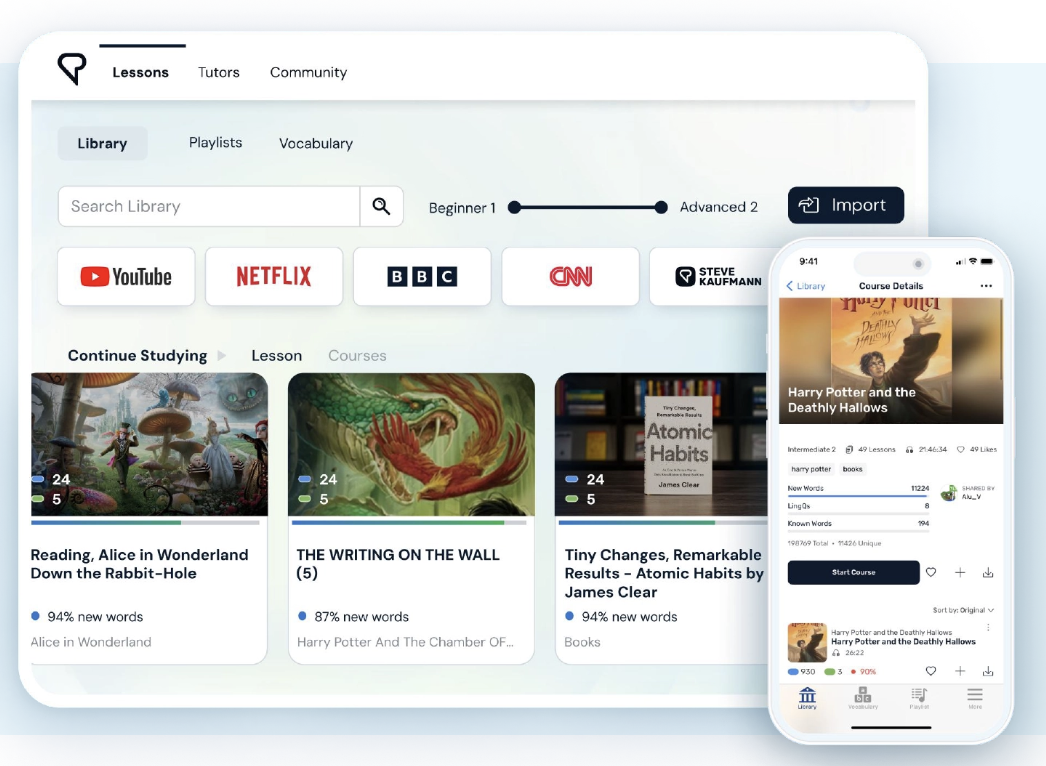
LingQ (pronounced “link”) starts from a simple idea. You learn a language by reading and listening to things you'd want to read and hear anyway. There's no course to follow, just a reader, a library, and a way of tracking every word you meet.
LingQ was launched in late 2007 by Steve Kaufmann and his son Mark. LingQ says Steve speaks 20 languages. Its About page also says he spoke only English until he was 17, and that after ten years of French lessons at school he still couldn't speak it.
Mark took Steve's methods and designed LingQ around them. I know Steve, we get on well, and I rate his work.
LingQ describes itself as built around comprehensible input. Here that simply means reading and listening to material you can mostly understand. I've said for years: “If you're not going to base your study on reading, tell me what you're going to do instead.”
So on the big idea, Steve and I are on the same side.
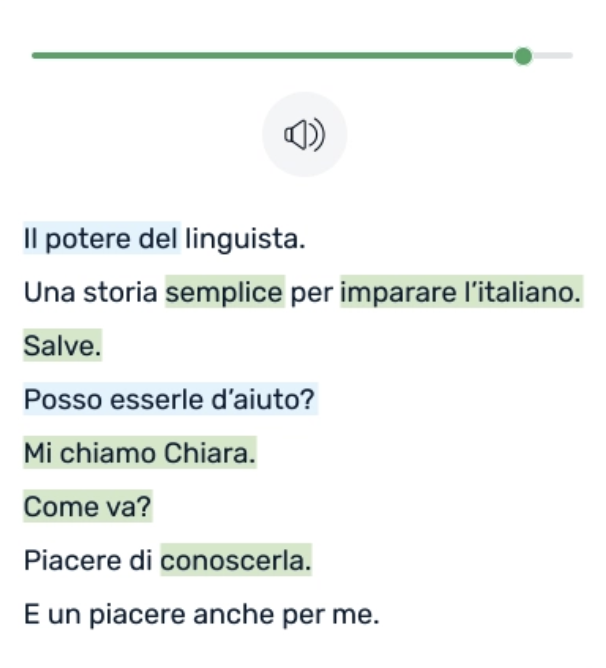
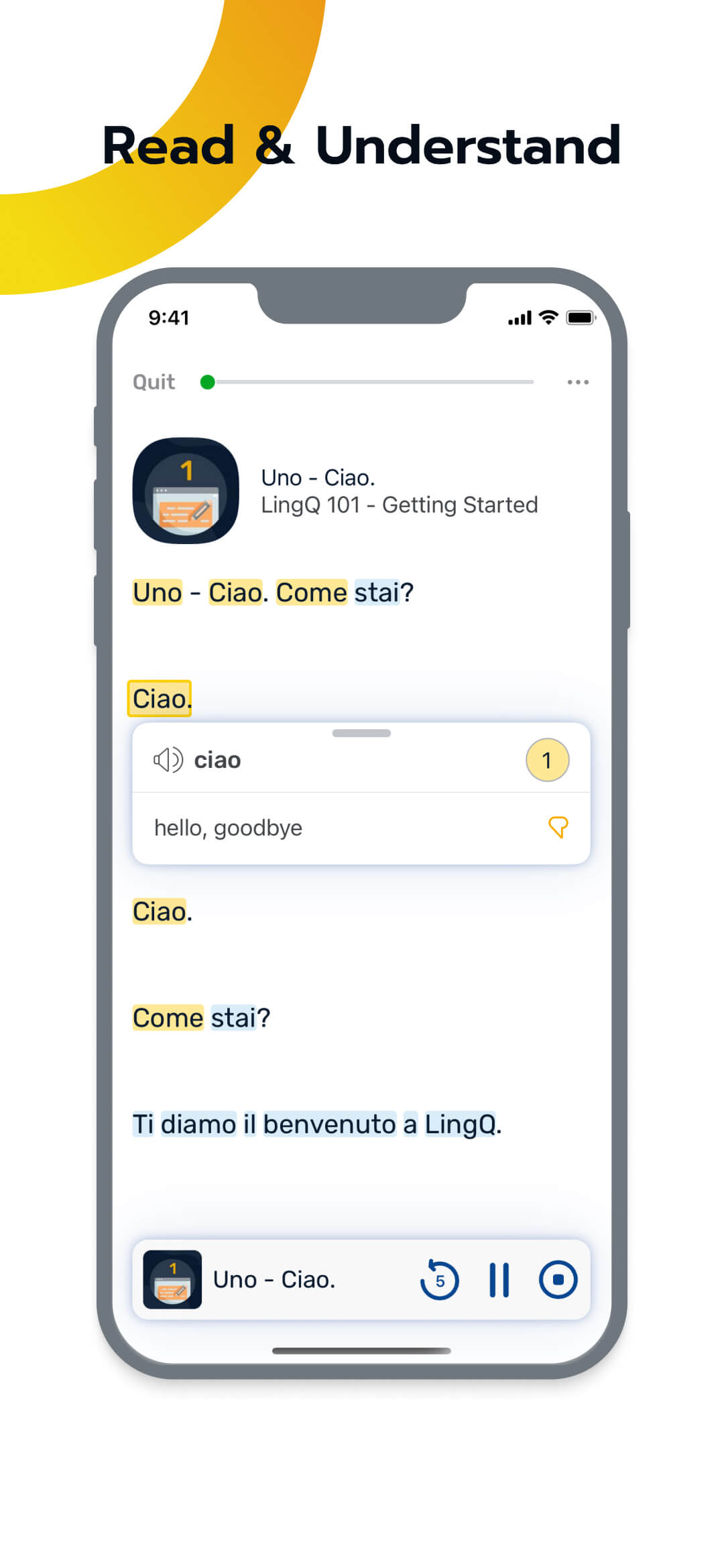
How the tool actually works is straightforward. You open a lesson, which is a text with audio.
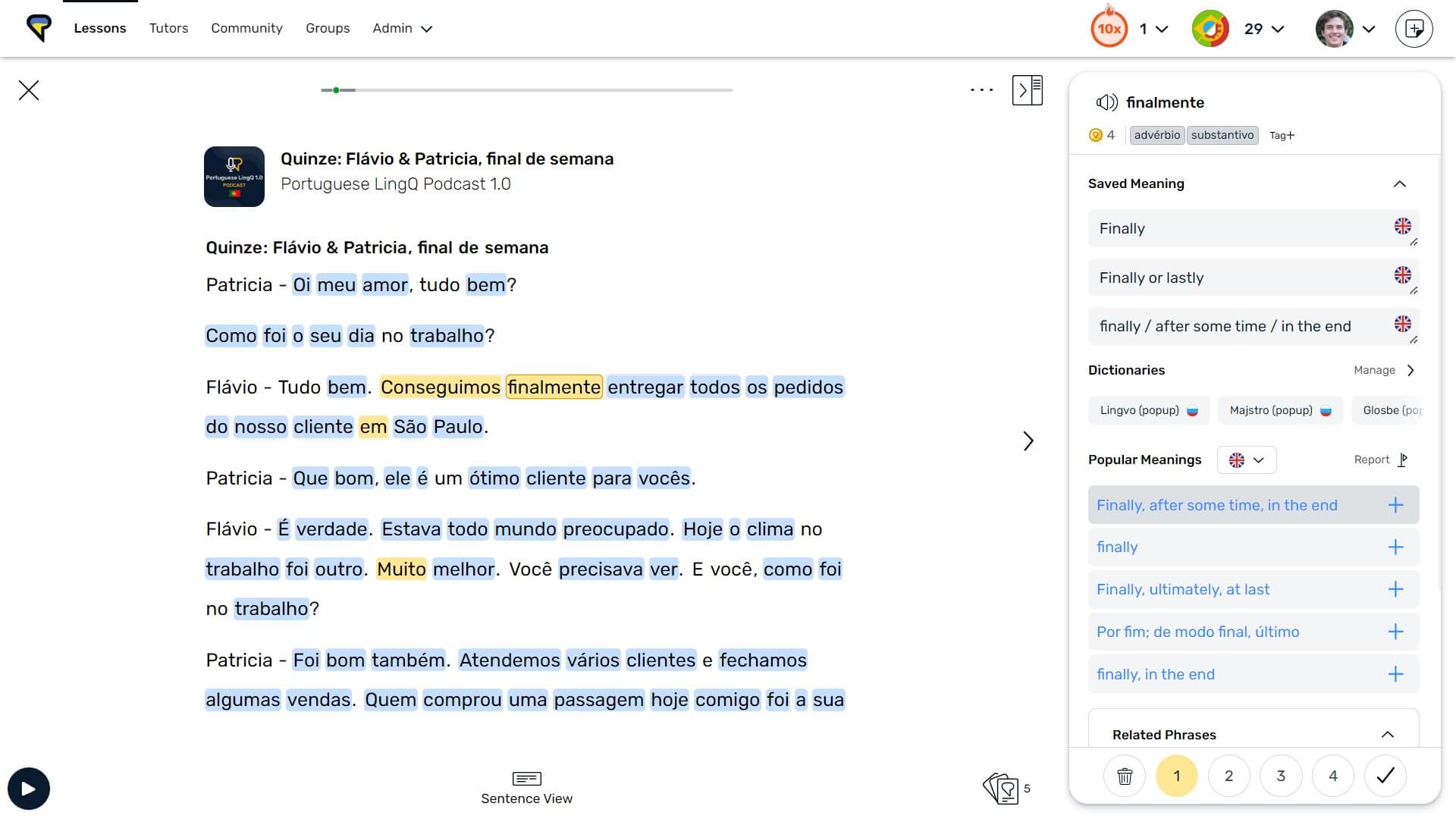
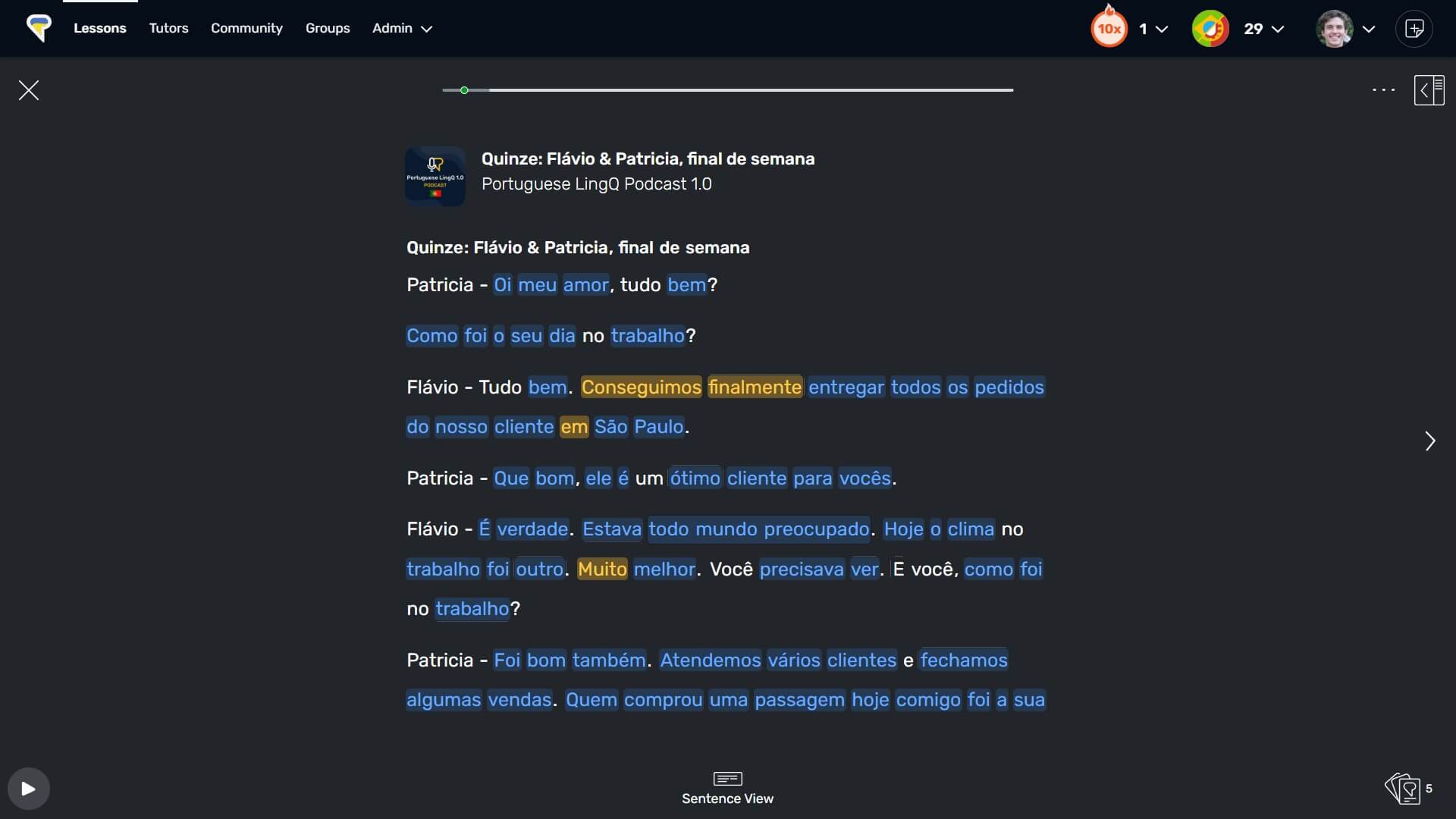
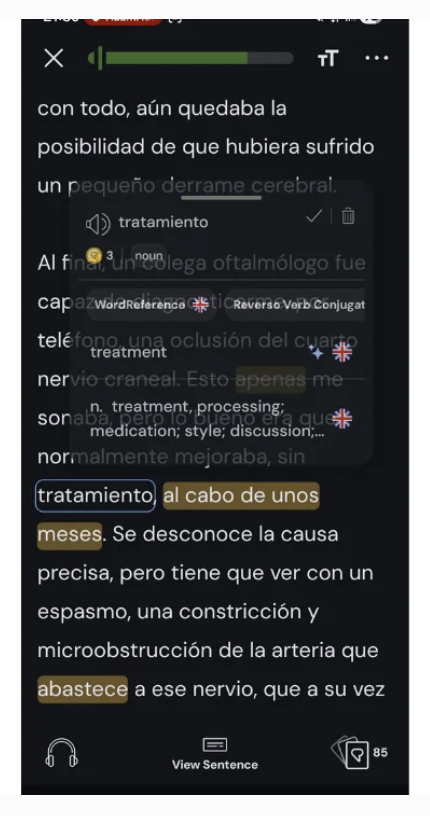
Words you haven't met before are highlighted in blue.Tap one, choose a meaning, and it's saved as a LingQ.
It shows in yellow and is stored with the phrase you found it in. Each LingQ moves through four stages, from New to Learned, as you review it.
You can also mark a word as Known straight away, or ignore it.
Saved words come back through spaced repetition. The review is made up of multiple choice, fill in the blank and dictation exercises. A daily email lists the words that are due.
My site has carried a LingQ referral link, that address still redirects, and it earns me nothing. The link to LingQ on this page is an ordinary one.
What LingQ Does Really Well
This is the reason to choose LingQ over any other reading tool: you can bring almost anything into it.
The LingQ Importer browser extension works on Chrome, Firefox and Safari, including mobile browsers.
An article or a video goes in with two clicks. YouTube works as long as the video has captions, and Netflix works the same way.
Ebooks come in as EPUB, PDF, DOCX, TXT or MOBI. Audio on its own can be turned into a lesson with Whisper, the AI transcription tool LingQ has built in.
Whatever you bring in becomes a lesson like any other. You tap words, save them and listen along.
LingQ's review of its own product, published on its own blog, calls the import feature “unmatched”. That's their word, and it's also the feature independent reviewers praise most.
I used LingQ for Italian and imported my own material so the study time was tracked. I started with the Italian mini stories.
If you already have a pile of things you want to read, watch or listen to, this is the feature that matters.
More Than 50 Languages, One Subscription
LingQ supports more than 50 languages. Its homepage listed 52 as of September 2026, and one Premium subscription covers every one of them.
That's more than a nice extra. For a language few apps bother with, LingQ may be one of the few places with a reader and a library for it.
You can switch language or add another at no extra cost. It's the practical draw for learners of smaller languages.
Proper Apps, With Offline Study
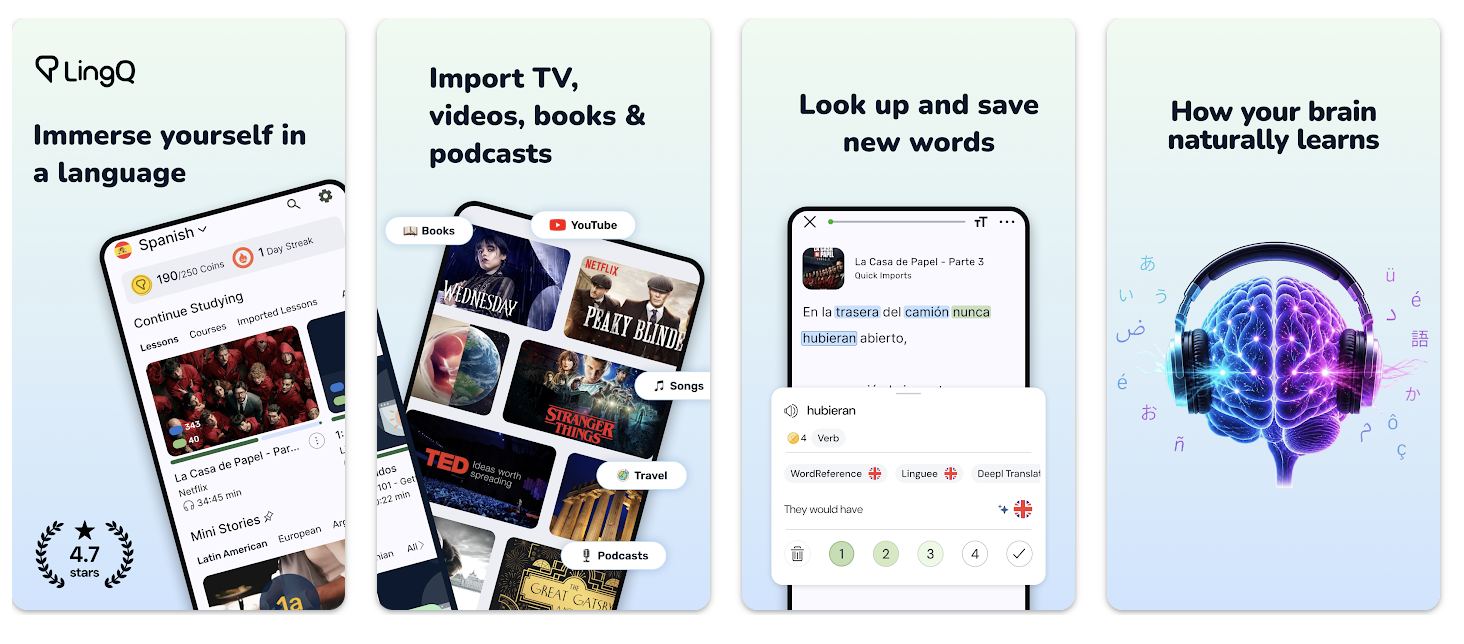
LingQ runs on the web and has apps for iPhone, iPad and Android. That matters, because a reading habit lives or dies on whether it's in your pocket.
On Premium, you can download lessons and study offline. Your progress syncs automatically when you're back online. There are audio playlists too, for listening away from the screen.
The apps are well rated. The US App Store shows 4.7 from 10K ratings. Google Play shows 4.5 from 50.6K reviews and 1M+ downloads, as of September 2026.
Progress You Can See, And A Big Library
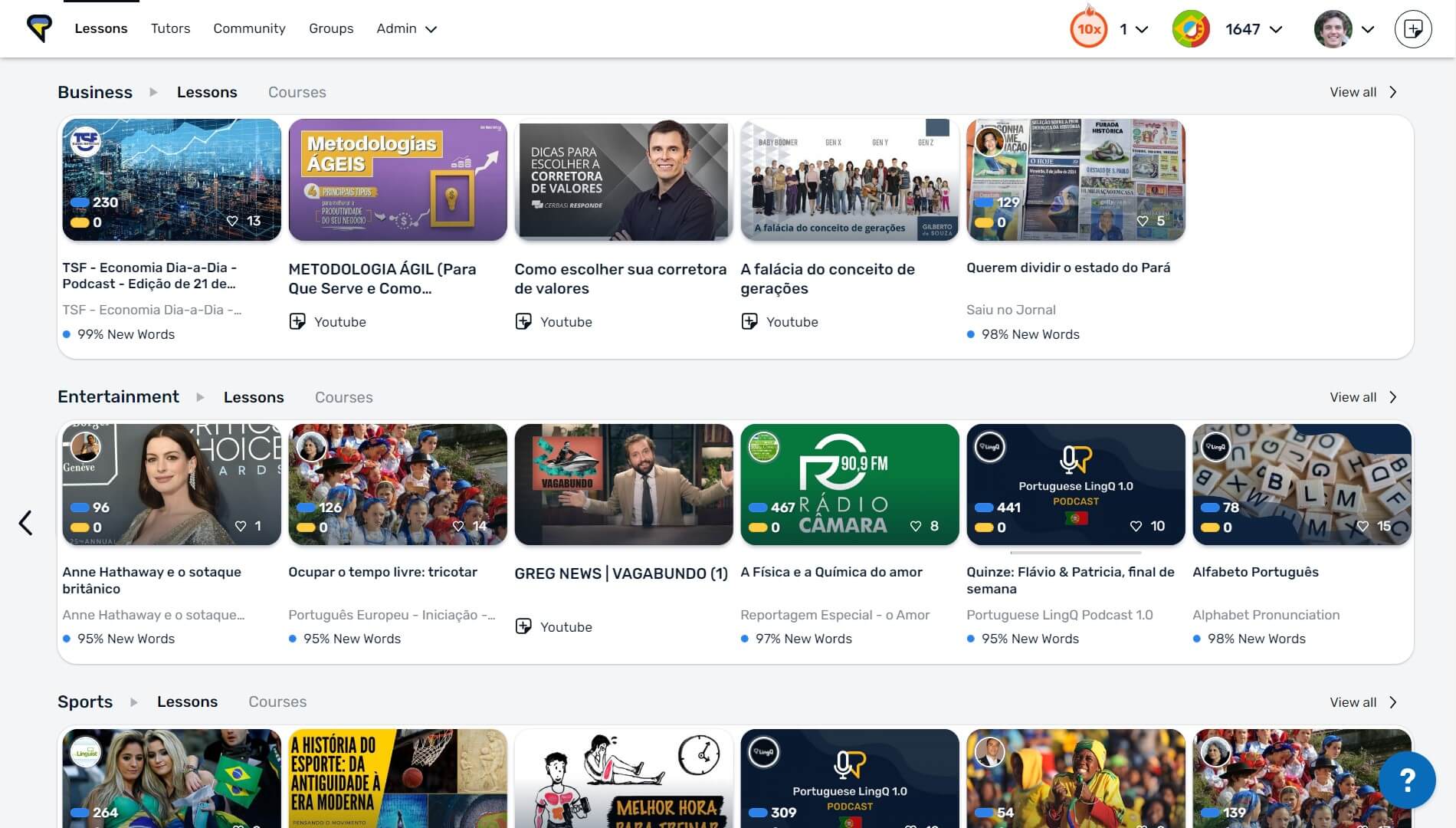
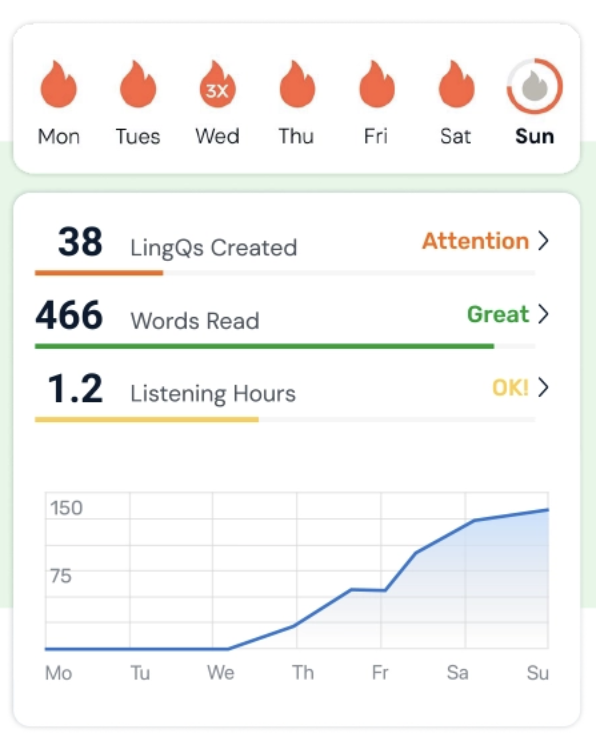
You get a running count from the first lesson. Known words, hours read, hours listened. Coins, a daily goal and a streak reward you for reading, listening and saving words, and LingQ's own review calls its vocabulary tracking “genuinely motivating”.
For a reader who likes numbers and logs their hours, that's a real draw. Statistics and challenges are Premium features.
LingQ says its library holds thousands of hours of audio with transcript, across 50K+ lessons. Lessons are labelled by level, from Beginner 1 up to Advanced 2, and there's a Mini Stories course for the early stages in many of its languages.
LingQ Pricing: What It Costs
The LingQ reviews I read quoted different prices, and most carried no date. So here are the figures, with where each one came from.
All of these are on LingQ's own pricing page, as of September 2026, and the monthly and 12 month figures also match its blog and the US App Store listing.
Premium is $14.99 a month, or $119.99 for 12 months paid upfront, which is $10 a month. Pay for 24 months upfront and it drops to $8.99 a month, $215.76 in one go, and that plan is on the web only.
From the UK, the same page shows local currency. It listed £12.99 a month, £103.99 for 12 months, and £179.99 for 24 months.
| Plan | US dollars (LingQ's pricing page, as of September 2026) | UK pounds (the same page, seen from the UK) |
|---|---|---|
| Premium, paid monthly | $14.99 a month | £12.99 a month |
| Premium, 12 months paid upfront | $119.99 ($10 a month) | £103.99 (£8.67 a month) |
| Premium, 24 months paid upfront (web only) | $215.76 ($8.99 a month) | £179.99 (£7.50 a month) |
| Premium Plus, paid monthly | $29.99 a month | £22.99 a month |
| Premium Plus, 12 months paid upfront | $269.99 ($22.50 a month) | £209.99 (£17.50 a month) |
Premium Plus sits above that at $29.99 a month or $269.99 a year, £22.99 or £209.99. It adds AI voices, a more advanced version of LingQ's chatbot, AI Simplified Lessons, and six times the audio transcription. Most readers can ignore it to begin with.
The small print is worth reading. Fees are charged upfront for the whole term and renew until you cancel.
LingQ's terms give a full refund if you signed up for Premium and aren't satisfied within the first 30 days, and nothing after that. Tutoring and writing correction are paid for separately, in points.
The App Store sells a 6 month term at $80.99 and has no 24 month term.
On cancelling, LingQ's terms say: “All of your Content will be deleted at the end of your billing period upon cancellation of your Premium membership.” So before you cancel, ask support what you'd keep on the free plan.
Is LingQ Free? What The Free Plan Really Gives You
Yes, LingQ has a free plan, and you don't need a payment card to open an account. It's there so you can try LingQ before paying, not so you can study on it long-term.
The caps are exact: 20 saved words or phrases in total, 5 imported lessons and 1 audio playlist. When you reach 20, you have to delete saved words before you can save new ones.
The library itself stays open, in every language LingQ offers. You can read and listen as much as you like. The 20 is a cap on saving words, not on reading or listening.
What's missing is the serious workbench: full sentence translation, generated audio for imported lessons, statistics, challenges and offline access. LingQ's terms also say free accounts aren't allowed to block ads.
LingQ is straight about this. Its own blog says, “LingQ's free tier isn't a trick, but it's not meant to be used long-term.”
There's no free trial of Premium on the pricing page. What you get instead is this free plan, plus a full refund in the first 30 days if you pay and change your mind.
My advice: use the free plan for an evening to find out whether reading this way suits you. Those 20 saved words go quickly, and when you hit the cap and want more, that tells you something.
| What you get | Free | Premium |
|---|---|---|
| Library of lessons with audio and transcript | Yes | Yes |
| Saved words and phrases (LingQs) | 20 in total | Unlimited |
| Lessons imported from your own content | 5 | Unlimited |
| Audio playlists | 1 | Unlimited |
| Full sentence translation | No | Yes |
| Generated audio for imported lessons | No | Yes |
| Statistics | No | Yes |
| Challenges | No | Yes |
| Offline access | No | Yes |
| Payment method needed to start (card or PayPal) | No | Yes |
Where LingQ Falls Short
LingQ hands you a library and an importer, then says go and choose. That's the same freedom that makes it powerful, seen from the other side.
For a self-directed learner, that's a gift. For plenty of others, it's the part that wears you down: finding something that isn't too hard or too easy, again and again.
The lessons do carry a level label, from Beginner 1 up to Advanced 2. But part of the library is shared by members, who earn points for sharing lessons. So expect the levelling and the audio to vary from lesson to lesson.
LingQ says it's “effective for all language learners, no matter your level when you join.” Most of the independent reviews I read found it hard going for complete beginners. One long-time user among them disagrees.
That's important, because I'd put the real starting point a little higher. To me, LingQ comes into its own from lower intermediate. That's my judgement, not something the reviews claim.
There is a tool for this. LingQ says AI Simplified Lessons turns a hard lesson into a beginner-friendly one in one click, with simplified vocabulary and sentence structure. It's part of Premium Plus, the dearer plan.
LingQ did less for me once I moved on to native material that had no transcript. It has since built in automatic transcription, and that's the thing that addresses it.
There's A Learning Curve, And The Review Queue Piles Up
You don't have to take this from me. When LingQ reviewed itself on its own blog, the first weakness it listed was “There is a learning curve.”
That's an unusual thing for a company to put first. The third weakness on the same list is “The SRS review queue can spiral.” If you save too many words, the daily reviews build up.
There's a practical fix, though. Words you mark as Known never come due for spaced repetition review. If you're honest about what you already know, the queue stays manageable.
The Known-Words Number Flatters You
The headline number on your dashboard is your Known count, and it's worth understanding how that number is counted.
LingQ's own help pages are clear. A new account is set to mark every blue word as Known when you turn the page, unless you saved it.
And the total adds your Learned words and your Known words together, so the number can climb just because you paged through a text.
You can switch that off in Reader Settings, under the gear icon.
As a way of keeping you reading, the counter does its job. It shows you the miles you've covered.
Read it as a record of how much you've read, not as the number of words you could use if a real conversation started tomorrow. Those are different numbers.
No Speaking Practice, No Structured Grammar
The company's own words say it: “LingQ is a reading and listening tool. If building conversational fluency is your primary goal, you'll need to supplement it with something else.”
I know how that gap feels. In Tokyo, after years of studying Japanese, I could understand plenty and still froze when I had to speak.
What fixed it was a few weeks of daily language exchanges, not another book.
LingQ does make room for that. You can book one-to-one conversation sessions with tutors, in 30, 45, 60 or 90 minute slots, and get writing corrected. Both are paid for separately, in points.
There's also an AI chatbot you can talk to in the language you're learning. It's not a person.
Grammar follows the same logic. LingQ's approach is immersion instead of drilling rules, and its own review says it's probably not the right fit if you need structured grammar explanations.
If you want grammar explained in order, use a course or a grammar book alongside it.
Who LingQ Is Best For, And Who Should Skip It
The decision in front of you is simpler than the dashboard makes it look.
What you're paying for is a reader, an importer and a word tracker wrapped around real content.
You bring your own texts, or you pick from the library.
Its whole job is to make reading and listening easier, with one-click definitions as you go. There's no course inside it.
Premium costs $119.99 a year as of September 2026, and it covers more than 50 languages. Most independent reviewers put it the same way: easier from lower intermediate than from zero.
You choose everything yourself. The lessons carry a level, so you can sort by difficulty, but nothing is written to your level as you go. Speaking isn't part of it.
Best for: the self-directed learner, from about lower intermediate up, who already has things they want to read, watch and listen to, likes to see the numbers, or is learning a language few apps cover.
Not for: complete beginners who want to be led, anyone whose main goal is speaking, and anyone who wants grammar explained in order or finds an open library tiring.
LingQ Alternatives For People Who Learn By Reading

If LingQ's way of working isn't for you, the right alternative depends on which part of it you wanted. None of these is a like-for-like replacement. Every price below was checked as of September 2026.
Readlang is the closest like for like: it's a web reader where you click a word for a translation, then practise the words you've saved as flashcards, with spaced repetition.
You bring your own texts; the free plan gives you 10 phrase translations a day, and Premium is $6 a month or $48 a year, against LingQ's $14.99 and $119.99. There's no official iPhone or Android app, so it suits the reader who wants the core of LingQ and little else.
If your reading is really subtitles, Language Reactor is a browser extension for studying with Netflix and YouTube subtitles, and it also takes text you paste in. There's a free version and a low-cost Pro plan, £4.53 for a month when I checked from the UK.
Lute is for the tinkerer. It's free and open source, installed on your own computer, and you read your own texts in a browser. There's no mobile app and no library.
If you'd rather learn from television than from text, Lingopie gives you real TV shows with subtitles you can click, in 15 languages, with a 7 day free trial. It has its own catalogue, and you can't import.
If the hard part for you is finding material at your level, my own StoryLearning App writes short stories to your level, in genres you choose. The next section covers it properly, with my interest declared.
There are places where LingQ is simply the better choice. My app can't import anything, and it covers far fewer languages than LingQ. My app runs in a web browser with no iPhone or Android app, and it needs about an elementary (A2) base, so it isn't for complete beginners.
If you want depth in one language rather than a general reader, Satori Reader is for Japanese, with graded, annotated stories, a free tier, then $9 a month or $89 a year. Du Chinese is for Chinese, with graded stories, free lessons, and $119.99 for 12 months.
LingQ covers both languages already, so this is about depth in one language rather than a gap in LingQ.
LingQ Or The StoryLearning App?
The StoryLearning App is my own product, and it's a reading app too, so I'm not neutral; I'll lean harder on its weaknesses than I did on LingQ's, and it wants the same slot in your day as LingQ.
The thing the StoryLearning App is built for is a problem any reader knows. Pick something you actually want to read, and the level's usually wrong: too hard and the evening goes on looking words up, too easy and you're stuck reading children's books.
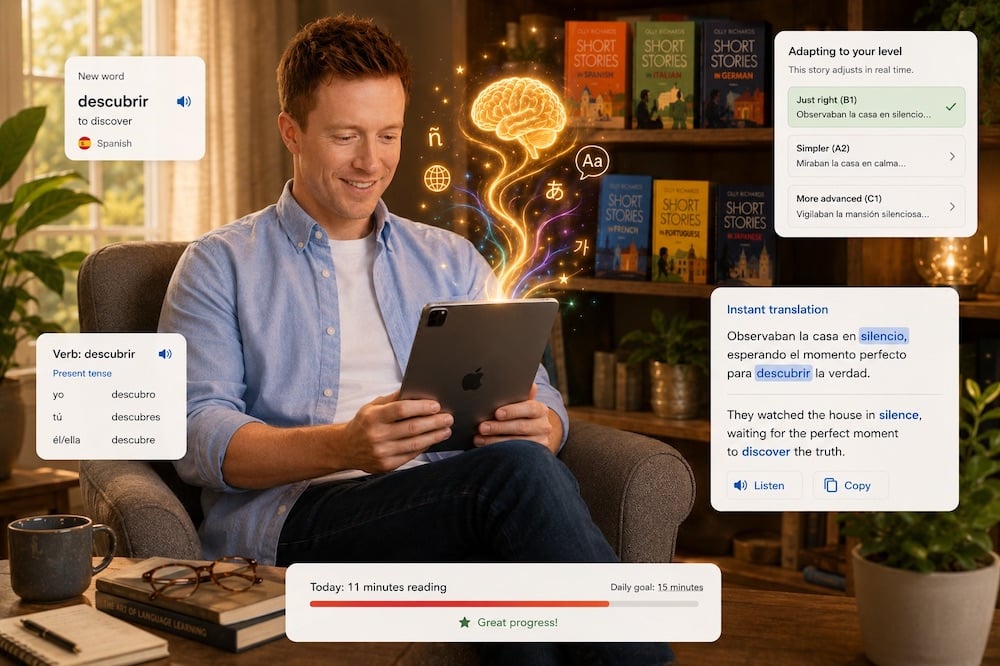
You read short stories, in chapters. The stories are written for you, by AI, for your level and in the genres you pick from a list of eight.
When you save a word as you read, it's written back into your later stories at growing intervals. That's spaced repetition, and it happens inside new stories rather than on cards.
The whole approach is comprehensible input, which just means learning from stories you can mostly understand. You can trial the audio narration with a free audio each month, and full narration for every story is available on a separate plan.
LingQ does three things the StoryLearning App does not: you can import almost anything into LingQ and read it there, it works in more than 50 languages, and it has iPhone, iPad and Android apps.
The StoryLearning App writes everything you read, so you give up picking your own material, and in return the stories are written for your level. If choosing that material yourself is half the fun, LingQ will suit you more than the StoryLearning App.
The StoryLearning App costs $15 a month, or $135 a year, as of September 2026. A subscription buys up to 20 new stories a month, across all your languages together. There is no free trial.
The StoryLearning App runs in a web browser on a phone, tablet or computer with nothing to install. It isn't in the App Store or Google Play. You can't read offline.
It launched in 2026. It has no speaking practice. It isn't for complete beginners; you need an elementary, A2 foundation before the stories work.
It covers ten languages, and all ten are European. If you're learning Japanese or Chinese, you can't use the StoryLearning App at all.
Best for: the reader who wants a daily reading habit in one of the European languages the app covers and is happy to let the stories be written for them.
Not for: anyone learning Japanese or Chinese, anyone who wants offline reading, an app in the App Store or Google Play, or speaking practice.
The StoryLearning App
Price: $15 a month, or $135 a year (US dollars), as of September 2026
Free trial: none
New stories: up to 20 a month, across all your languages (re-reads not counted)
Audio: a free audio each month to trial the narration; full narration for every story on a separate plan
Languages: Danish, Dutch, English, French, German, Italian, Norwegian, Portuguese, Spanish and Swedish, with separate Spain and Latin American Spanish, and European and Brazilian Portuguese
Level: from about A2 (elementary) to advanced; not for complete beginners
Where it runs: web browser on a phone, tablet or computer; not in the App Store or Google Play
The Bottom Line: Is LingQ Worth It?
For importing whatever you want to read, I haven't found anything more flexible than LingQ. You can pull in articles, videos, ebooks and audio in more than 50 languages, and the web, iPhone, iPad and Android apps keep it all together.
What it won't do is choose for you, teach you grammar in order, or get you speaking.
So yes, it's worth paying for if you're the self-directed kind of learner who already has material you want to read and you're happy to make the choices. It isn't for you if you want to be led, if speaking is your main goal, or if you'd rather be handed reading at your level.
If you decide to try it, pay monthly first. Put down $14.99 for one month before you commit to $119.99 for a year, because fees are charged upfront and the refund window runs 30 days for new Premium members, as of September 2026. You can open a free account first if you want to look around.
For me, the point of a tool like this is simple: it keeps you reading and listening, with a definition one click away. That's what you're paying for, and if you'll actually use it, it's worth the money.
LingQ FAQ
Is LingQ free?
Yes, LingQ has a free plan, but it's tightly capped. You get 20 saved words or phrases in total, 5 imported lessons and 1 playlist.
What you don't get is offline access, statistics and full sentence translation. You don't need a payment card to open an account.
LingQ says it plainly: “LingQ's free tier isn't a trick, but it's not meant to be used long-term.” The free plan is for testing whether reading this way suits you.
How much does LingQ cost?
LingQ Premium costs $14.99 a month, or $119.99 for 12 months paid upfront, which is $10 a month, as of September 2026.
Pay for 24 months upfront and it's $8.99 a month. Premium Plus is $29.99 a month or $269.99 a year.
LingQ's pricing page shows local currency: from the UK it showed £12.99 a month or £103.99 for 12 months. One subscription covers every language.
Is LingQ worth it?
LingQ is worth it if you're a keen reader and listener who wants to import almost anything, look words up and track what you've saved.
It isn't worth it if you want lessons laid out for you, speaking practice, or texts written at your level. LingQ's own pages describe it as a reading and listening tool.
The safe way to find out is to use the free plan, then pay for a month before committing to a year. Fees are charged upfront.
Does LingQ have a free trial or a refund?
LingQ doesn't advertise a free trial of Premium, but there is a free plan and a refund.
LingQ's terms say that if you initially signed up for Premium and you're not satisfied at any point in the first 30 days, you get a full refund. After that, there's no refund for unused time.
Fees are charged upfront for the whole term. That 30 day window matters most on the annual and 24 month plans, so test it properly while you can.
Is LingQ good for beginners?
LingQ can work for beginners, but it asks more of you than a course. Independent reviews find it hard going for complete beginners. I'd point you to it from lower intermediate.
LingQ says it's “effective for all language learners, no matter your level”, and it has a Mini Stories course for the early stages. But there's no structured course to follow, so a complete beginner has to find their own way.
If you want hard lessons simplified, LingQ's AI Simplified Lessons do that, but they're part of Premium Plus.
How many languages does LingQ have?
LingQ has 52 languages listed on its homepage as of September 2026, which puts it at more than 50.
One Premium subscription covers all of them, so you can study several, or switch, at no extra cost.
There's a wrinkle, though. LingQ's own pricing page still says “40+ languages”, so its pages don't quite agree.
I'd trust the homepage and the app-store listings, which both put it at more than 50.
Can you use LingQ offline?
Yes, you can use LingQ offline in its iPhone, iPad and Android apps, but only on Premium.
You download the lessons you want first, then study without a connection, and LingQ syncs your progress when you're back online.
Offline access isn't part of LingQ's free plan.
Does LingQ teach grammar or speaking?
No, not in any structured way. LingQ calls itself a reading and listening tool.
On grammar, LingQ describes its own approach as immersion rather than drilling rules, and its review says it's probably not the right fit if you need structured explanations.
It does publish a grammar guide covering many languages, so there's something there.
For speaking, you can book one-to-one tutor sessions and get writing corrected, paid separately in points, and there's an AI chatbot. LingQ says if conversation is your main goal, you'll need to add something else.
What are the best LingQ alternatives?
The closest LingQ alternative is Readlang, a web reader with click-to-translate and flashcards, at $6 a month as of September 2026.
If you learn from video subtitles, Language Reactor works with Netflix and YouTube. If you'd rather run something free and open source on your own computer, choose Lute. Lingopie teaches through television.
One disclosure: I make the StoryLearning App, which writes short stories to your level instead of asking you to find them yourself. It can't import content, and it covers far fewer languages than LingQ.

Olly Richards
Creator of the StoryLearning® Method


Olly Richards is a renowned polyglot and language learning expert with over 15 years of experience teaching millions through his innovative StoryLearning® method. He is the creator of StoryLearning, one of the world's largest language learning blogs with 500,000+ monthly readers.
Olly has authored 30+ language learning books and courses, including the bestselling "Short Stories" series published by Teach Yourself.
When not developing new teaching methods, Richards practices what he preaches—he speaks 8 languages fluently and continues learning new ones through his own methodology.